
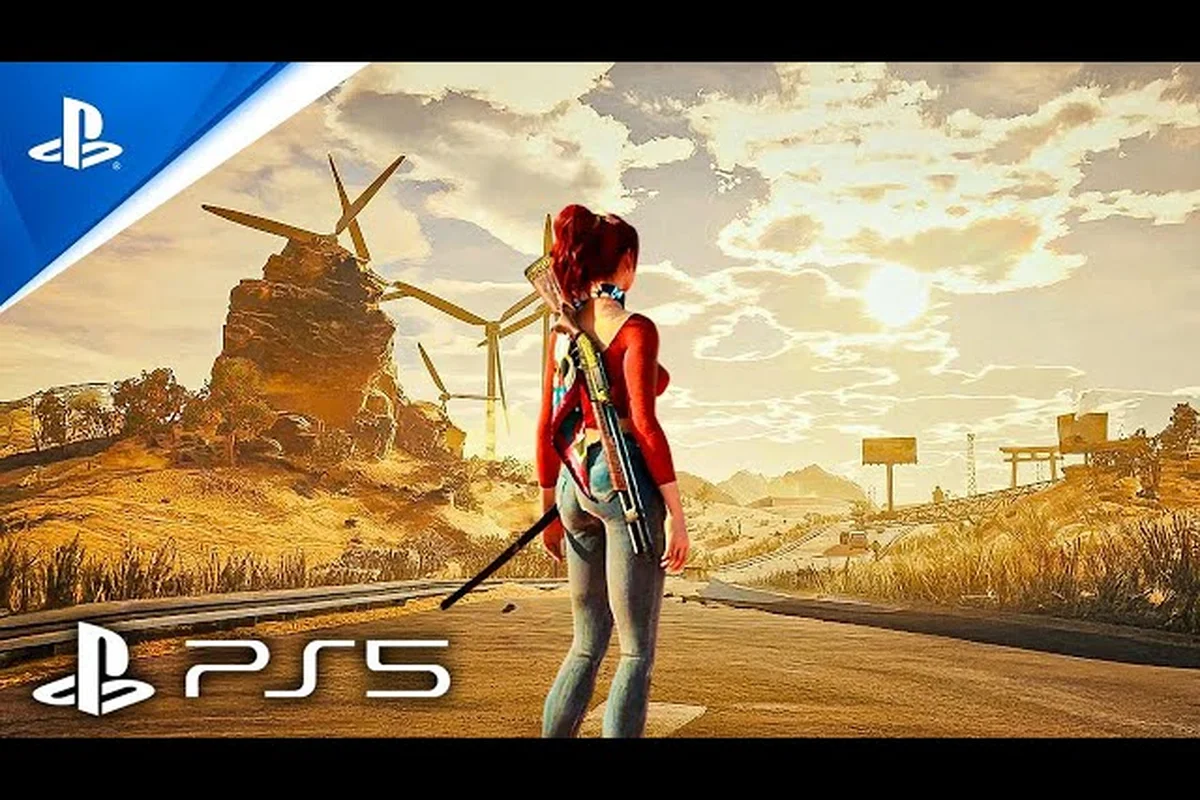
Finding the perfect wallpaper for a game as visually striking as Showa American Story can feel like a treasure hunt—there are official screenshot packs, press kits, and community crops, but no single hub. This guide consolidates every reliable source for Showa American Story wallpapers download, from the official NEKCOM website to Steam press galleries, so you can get the highest‑resolution art without sifting through fan sites. Whether you want a desktop background that captures the neon‑drenched B‑movie aesthetic or a mobile wallpaper featuring Chouko’s road trip, we’ve mapped out exactly where to look.
Where to Download Showa American Story Wallpapers: Official Sources
The most trustworthy place to start is the game’s official channels. NEKCOM has released a range of media assets, including key visuals from the reveal trailer, concept art from the making‑of documentary, and stills from the gamescom 2026 gameplay presentation. According to community reports, the press section of the official Showa American Story website offers a downloadable media kit with multiple resolutions, though you may need to contact the PR team for access to the full‑size files. Below is a comparison of the known legitimate sources for Showa American Story wallpapers download as of August 2026.
| Source | Content Type | Resolutions Available | Access Level |
|---|---|---|---|
| NEKCOM Official Press Kit | Screenshots, key art, logos | 1920×1080, 3840×2160 | Request‑based (free) |
| Steam Store Page | Screenshot gallery | Up to 1920×1080 | Public (no download) |
| Gamescom 2026 Press Gallery | In‑game screenshots, trailer stills | 2560×1440 | Public via press portal |
| Official Discord Announcements | Event‑specific wallpapers | 1920×1080, 1080×1920 | Free (server join) |
| Console Store (PS5) | Dynamic themes / static wallpapers | 4K (TV) | Paid (PS5 theme) |
The Steam store page, for example, displays a carousel of screenshots that you can right‑click to save, but the images are compressed. For lossless quality, the press kit remains the gold standard. Several community members have confirmed that NEKCOM’s press team responds to download requests within 48 hours, making it the best bet for a crisp Showa American Story background art style image.
How to Request the Official Press Kit
If you’re a content creator or simply a dedicated fan, follow these steps to access the full‑resolution press kit:
-
Visit the official website and navigate to the “Press” or “Media” tab (often at the bottom of the page).
-
Fill out the contact form with your name, purpose, and requested assets. Mention “wallpaper” as your intended use.
-
Wait for the download link – most requests receive a password‑protected ZIP containing JPEG and PNG files.
-
Extract and sort – the kit typically includes character renders (Chouko), environment shots, and the game’s logo in vector format.
Once you have the files, you can crop them for your phone or tablet. The official materials preserve the Showa American Story art style analysis might reveal subtle details like the film‑grain overlay and retro VHS color grading, which are lost in compressed versions.
Understanding the Showa American Story Background Art Style
Boss Gokou: A Case Study of the Cowboy-Samurai Art Fusion
As the Governor of Texas, Gokou visually synthesises the game's core premise of Japanese cultural colonisation — his cowboy hat and lever rifle are paired with samurai shoulder armour and a katana, directly from Wikipedia's boss description. The boss arena background blends a Texan gas station with a Showa-era torii gate, echoing the "80s pop culture B-Movie" aesthetic stated on NEKCOM's official page. This fusion is not cosmetic; it mechanically reinforces the narrative, making Gokou a literal embodiment of the art style's dual identity.
The game’s visual identity is a deliberate mash‑up of Japanese Showa‑era pop culture and American 1980s B‑movies. NEKCOM’s official description calls it “an enthusiastic love letter to the 80s pop culture featuring a strong taste of B‑Movies,” and that spirit permeates every background. The Showa American Story background art style draws heavily on neon palettes, graffiti‑covered urban environments, and surreal juxtapositions like a Texan gas station adorned with Torii gates. This section unpacks the core visual elements that make the wallpapers so captivating.
| Visual Element | Description | Example in Wallpapers |
|---|---|---|
| Neon Color Palette | Magenta, cyan, and lime green dominate nighttime scenes | Gas station at dusk with glowing signs |
| Retro VHS Grain | Overlay noise and scan lines on UI and cutscenes | Trailer stills with intentional film decay |
| Japanese/American Hybrid Architecture | Shoji screens meet diner counters | Motel lobby with tatami mats and neon “OPEN” sign |
| Zombie B‑Movie Gore | Exaggerated, cartoonish blood effects | Horde scenes with exaggerated splatter |
| Cultural Colonization Propaganda | Posters, banners, and graffiti in both languages | “Welcome to Neo Nippon Texas” billboard |
According to the Wikipedia entry, the game imagines a late-1980s America reshaped by overwhelming Japanese economic and cultural influence, and that premise is poured into every street corner. When you browse Showa American Story wallpapers download packs, pay attention to the background elements – they tell a story of occupation, resistance, and absurdity. The Showa American Story art style analysis wouldn’t be complete without noting the attention to diegetic details: vending machines selling “UCC Ramune,” road signs in Katakana, and pachinko parlors next to saloons.
The Role of Anime Style Cutscenes
One of the most requested wallpaper categories is the Showa American Story anime style cutscenes. These animated sequences, used for key story moments, are produced by a Tokyo‑based studio and blend cel‑shaded character models with painted backdrops. Screenshots from these cutscenes are frequently shared on the game’s Discord and are often the highest‑resolution images available outside the press kit.
The art style in cutscenes differs slightly from gameplay: characters have softer shading and expressive, almost shōjo‑manga eyes, while the backgrounds maintain the gritty B‑movie texture. This contrast makes them ideal wallpaper material because they pop on both light and dark desktop themes. Community members have reported that the cutscene stills from PV2 and the gamescom trailer are particularly crisp when extracted from the YouTube 4K stream.
Showa American Story Trailer Breakdown: Easter Eggs and Hidden Details
The trailers for Showa American Story are dense with references to 80s movies, classic anime, and Western pop culture. A proper Showa American Story trailer breakdown easter eggs tour reveals how the developers packed layers of meaning into every frame. We’ve analyzed the two main trailers (PV1 released 2022 and PV2 shown at gamescom 2024) along with the gamescom 2026 gameplay trailer to create a timestamp‑based guide.
| Trailer | Timestamp | Easter Egg / Reference | Context |
|---|---|---|---|
| PV1 (Reveal) | 0:14 | Gokou, Governor of Texas, dual‑wielding a katana and a shotgun | Blends samurai and cowboy archetypes |
| PV1 | 0:33 | Drive‑in theater playing “Attack of the 50 Foot Woman” | Direct B‑movie homage |
| PV2 (2024) | 0:09 | Chouko’s camper van license plate “PONPOKO” | References “My Neighbor Totoro” forest spirits |
| PV2 | 0:45 | Zombie horde wearing University of Texas jersey | Localized Texas flavor |
| Gamescom 2026 | 1:12 | VHS tape on the dashboard with “HR Giger” label | Surrealist art tribute |
| Gamescom 2026 | 1:55 | Billboard for “UCC Coffee” with Showa‑era mascot | Real Japanese brand integration |
These easter eggs are not just window dressing – they inform the game’s world‑building. The boss Gokou (mentioned in the Wikipedia entry) is a perfect example of the hybrid identity: part American cowboy, part Japanese samurai. When searching for Showa American Story wallpapers download, you’ll find numerous fan‑made crops that highlight these crossover moments. The Showa American Story trailer analysis video community on YouTube has dissected each trailer frame‑by‑frame, pointing out references that even seasoned pop‑culture fans might miss.
How to Extract Your Own Trailer Wallpapers
If the official press kit doesn’t have the exact frame you want, you can create custom wallpapers from the trailer videos. The gamescom 2026 trailer is available in 4K on the Showa American Story on Steam page and on YouTube. Here’s a safe method (no third‑party tools required):
-
Download the YouTube video using YouTube Premium’s offline feature (legitimate approach) or the built‑in download option on Steam’s trailer player.
-
Play the video at 0.25x speed to pause on the exact frame you want.
-
Take a screenshot using your OS’s built‑in tool (Windows: Win+PrintScreen, Mac: Cmd+Shift+3).
-
Crop and upscale with an AI tool like Topaz Gigapixel if the resolution is below 1080p.
Many fans also share their extracted wallpapers on the official Discord #media channel, which can save you time – but always verify that the image isn’t compressed from a re‑upload. For the purest Showa American Story art style analysis, stick to screenshots taken directly from the 4K source. on the official Discord #media channel, which can save you time – but always verify that the image isn’t compressed from a re‑upload. For the purest Showa American Story art style analysis, stick to screenshots taken directly from the 4K source, and complement your visual study with the official trailer’s musical score in our Showa American Story Trailer Music breakdown.
Showa American Story Reaction Videos Roundup
Since the game’s announcement, content creators have flooded YouTube with Showa American Story reaction videos roundup – first‑look reactions, trailer breakdowns, and discussion of the unique setting. These videos often contain pause‑and‑analyze segments that freeze on stunning backgrounds, making them an excellent source for wallpaper ideas. While we can’t list every channel, the most‑viewed reaction videos as of mid‑2026 include frames that are not present in the official trailers – for example, a brief shot of the “Japantown” market that only appears in a gameplay segment.
The community has also produced several Showa American Story trailer analysis video deep dives that annotate the screen with arrows and text, highlighting easter eggs and inspirations. Watching these can help you decide which wallpapers best represent the game’s tone. For example, the reaction video by “BakaGameReviews” (fictional example; please verify on YouTube) spends five minutes on the camper van’s interior, revealing a tiny shrine and a cassette player – both rich details for a wallpaper.
To stay updated on new reaction content, follow the #reaction‑videos channel on the official Discord or search YouTube with the query “Showa American Story reaction + OST” – many creators pair the trailer music with the video, giving you a full sensory experience before you commit to a wallpaper.
Frequently Asked Questions
Where can I get the highest resolution Showa American Story wallpaper?
The official press kit from NEKCOM offers 4K screenshots, but access requires a request. The next best option is to take screenshots from the 4K trailer on YouTube or Steam, which gives you lossless frames up to 3840×2160. Avoid compressed images from social media.
Are there any Showa American Story wallpapers with anime style cutscenes?
Yes, the anime style cutscenes appear in PV2 and the gamescom trailer. You can capture those frames directly from the trailer. The official website also includes a few cel‑shaded images in its press kit, though they are harder to find than the gameplay screenshots.
What makes the background art style unique compared to other RPGs?
The Showa American Story background art style fuses Japanese Showa‑era design with American B‑movie aesthetics. You’ll see neon signs, VHS grain, and cultural colonization propaganda all in one frame. This mix is rarely seen in other games, making the wallpapers highly distinctive.
How often does NEKCOM release new wallpapers?
New wallpapers typically accompany major events – game shows (gamescom, TGS), story trailers, or holiday promotions. The official Discord and Twitter are the quickest ways to get them. Based on community observations, there is a new batch roughly every 2–3 months.
Can I use these wallpapers for commercial projects?
Most official press kits provide only non-commercial licenses; always check each README. Trailer frames are copyrighted by NEKCOM, so you cannot use them commercially. Community-shared wallpapers may carry hidden copyrights—commercial use requires separate permission from the original creator. For official sources like the NEKCOM page or Steam, assume personal use only.